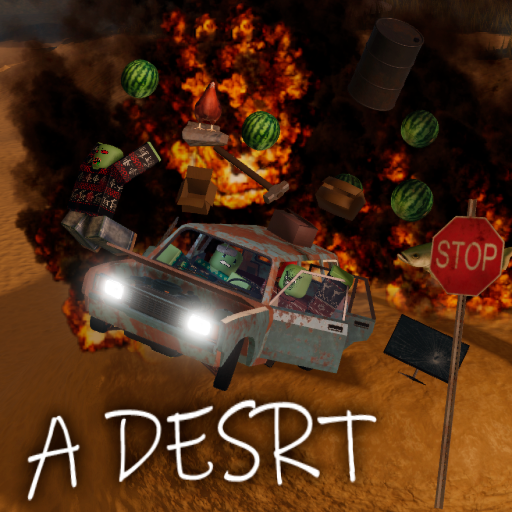
A desrt Items Database
Browse A desrt objects, food, event items, removed items, sandbox names, rarity labels, and sandbox-menu status.
Database Scan
Item pages start with table facts: category, sandbox name, rarity, and sandbox-menu status.
Item name
Use the public item-table name first.
Category
Separate objects, food, event, and removed rows.
Sandbox status
Show whether it appears in the sandbox menu.
Rarity
Keep rarity labels close to the item row.
A desrt Items Database
Browse A desrt objects, food, event items, removed items, sandbox names, rarity labels, and sandbox-menu status.
- Words
- 267
- Tables
- 1
- Updated
- 2026-07-07
Item Database Page
Item searches need a clean item database with names, categories, rarity, sandbox names, and menu status.
Barrel, Bed, Big Fish, Chicken, Digital Protractor.
Baguette, Apple, Banana, Cupcake, Fish, Watermelon.
Zombie Leg and Zombie Spine are separated from regular rows.
Archived rows help old searches without mixing them into current items.
- 01Name
Start with the item name
Use the public item-table name before comparing notes.
- 02Type
Check the category
Objects, food, event rows, and removed rows answer different searches.
- 03Menu
Read the sandbox name
Sandbox names help match item rows to the in-game sandbox menu.
- 04Rare
Compare rarity
Rarity labels explain why some rows matter more than others.
Item Table
| Item | Category | Sandbox name | Rarity | Sandbox menu |
|---|---|---|---|---|
| Barrel | Objects | barrel | Rare (17%) | Yes |
| Bed | Objects | bed | Very Rare (4%) | Yes |
| Big Fish | Objects | big fish | Common (38%) | Yes |
| Chicken | Objects | Chicken | Extremely Rare (1%) | Yes |
| Digital Protractor | Objects | protractor | Rare (17%) | Yes |
| Baguette | Food | baguette | Common (50%) | Yes |
| Apple | Food | apple | Rare (15%) | Yes |
| Banana | Food | banana | Very Rare (7%) | Yes |
| Cupcake | Food | cupcake | Very Rare (7%) | Yes |
| Fish | Food | fish | Rare (15%) | Yes |
| Watermelon | Food | watermelon | Extremely Rare (1%) | Yes |
| Zombie Leg | Event | zombie leg | Exclusive (50%) | No |
| Zombie Spine | Event | zombie spine | Exclusive (50%) | No |
| Crowbar | Removed | crowbar | Rare (50%) | Unknown |
| Ruler | Removed | ruler | Rare (50%) | Unknown |
| Strawberry | Removed | strawberry | Unknown (50%) | Unknown |
How to Use This Page
Use the item category first, then the sandbox name and rarity. Food and objects belong in the item database; fuel and car repair decisions belong on the Car Parts page.